


BMW Android Auto: How to Get It on Every iDrive Version
BMW added Android Auto years after CarPlay, and only to its newest cars at the time. That's why so many owners with Android phones assume their BMW can't run it. On most BMWs from the last ten or so years it can. The route depends on one thing: the head unit, which is the computer behind your screen.
This is the main guide. It tells you which route fits your car, and links to a detailed guide for each one.
Can you get Android Auto on a BMW?
Usually yes.
- iDrive 7 cars got BMW's own Android Auto from 2020. If yours is missing it, it can usually be added in software.
- NBT EVO cars on iDrive 5 and 6 never got it from BMW. It can now be activated natively, with no box and no new screen.
- NBT EVO cars on iDrive 4 can get there with one extra step.
- Older cars with original NBT, CIC or CCC need new hardware.
Why it's so confusing
Three things trip people up.
BMW did CarPlay first. CarPlay arrived on NBT EVO years before Android Auto existed on any BMW. So plenty of cars have CarPlay and no Android Auto, and having one tells you nothing about the other.
Android Auto only went to iDrive 7. BMW launched it in 2020 for cars on Operating System 7, and it needed software from July 2020 or newer. NBT EVO was left out and never got it in an update.
It's wireless only. On factory BMW systems, Android Auto doesn't run over a USB cable. Owners plug in, see the phone charge and assume it's broken. Here's why the cable does nothing.
Step 1: find your head unit
Don't go by model or year. Two cars of the same model and year can have different head units. On the iDrive, go to Navigation → Options → Settings → Position & Version History → Version and read the code.
| What you see | Head unit | iDrive |
|---|---|---|
| NBTEvo_H to Y | NBT EVO | 5 or 6 |
| NBTEvo_A to F | NBT EVO | 4 |
| NBT_ | Original NBT | 4 |
| A newer menu with COM and no code like these | Likely MGU | 7 |
Our guide to reading your version screen has photos, and this one covers the older systems. Or send us a photo and your VIN.
Step 2: your route, by head unit
| Head unit | Route | New hardware? | From (AUD) |
|---|---|---|---|
| NBT EVO on iDrive 5 or 6 | Native Android Auto activation | No | $299 |
| NBT EVO on iDrive 4 | iDrive 6 upgrade + Android Auto | No | $449 |
| MGU (iDrive 7) | CarPlay + Android Auto activation. Needs software 20-07 or newer | No | $300 |
| Original NBT | CarPlay head unit with Android Auto, where one's listed for your car | Yes | $549 |
| CIC or CCC | CarPlay head unit with Android Auto, where one's listed for your car | Yes | $549 |
| EntryNav2 or iDrive 8 | Send us your VIN and we'll confirm your options | Depends | Ask us |
Compatibility depends on your head unit, software and hardware. We confirm your car from the VIN before you pay.
NBT EVO: iDrive 5 and 6
This is the group that waited longest. NBT EVO sits in a huge number of BMWs built from around 2016 to 2019, including the F30 3 Series, G30 5 Series, F15 X5, F25 X3 and the F8x M cars. It runs wireless CarPlay, and BMW never gave it Android Auto.
It can now be switched on in the head unit itself. Our activation gives you:
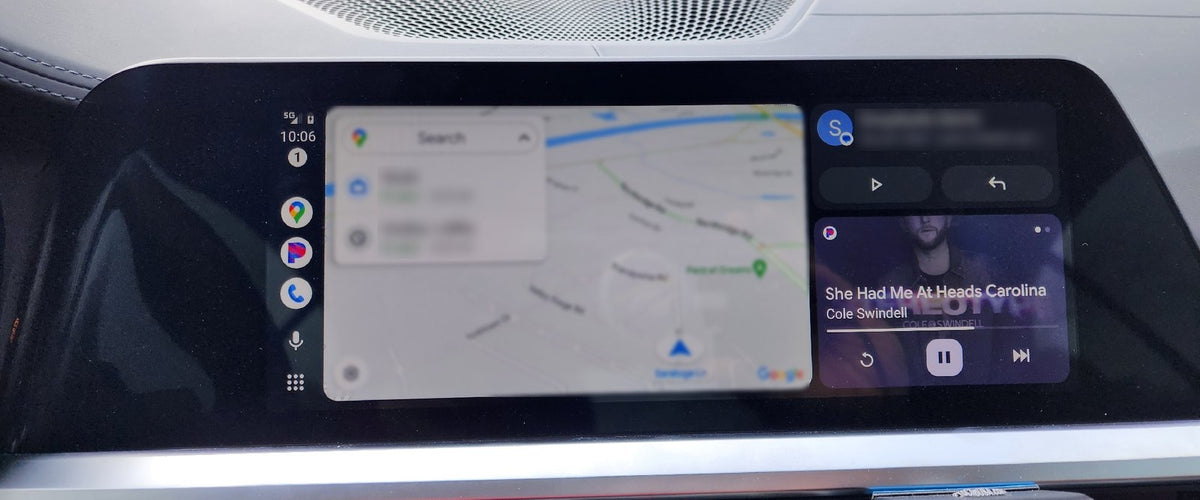
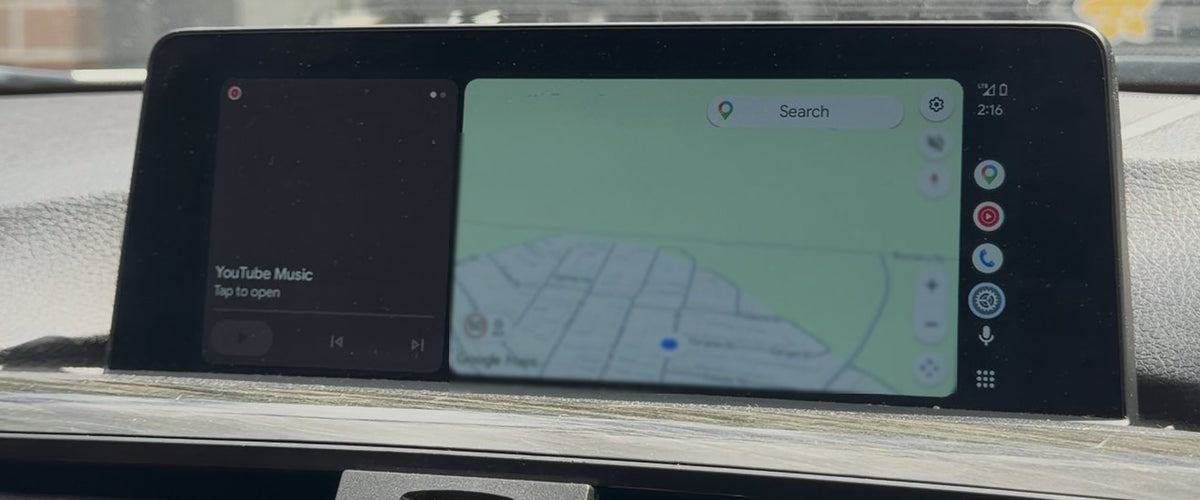
- Wireless Android Auto, fullscreen on the factory display
- Google Maps, Waze, Spotify, YouTube Music and other Android Auto apps
- Your iDrive controller, steering wheel controls, microphone and factory audio working normally
- CarPlay kept alongside it, so both phone types are covered
It's done in a remote session of around 10 minutes once we're connected. You need a Windows laptop, an ENET cable, a USB flash drive, and a WiFi antenna on the head unit.
We've written this route up properly, because it's where most of the questions are:
| You want to know | Read |
|---|---|
| Is my car ready? | The six point NBT EVO checklist |
| What does it do, and what doesn't it? | What works and what doesn't |
| Activation, box, dongle or new screen? | Every NBT EVO option compared |
| How does the session run? | How activation works |
| It's activated and won't connect | Connection fixes, in order |
NBT EVO on iDrive 4
Cars from around mid 2015 through 2016 can have the NBT EVO hardware with the older iDrive 4 software on it. Those need to move to iDrive 6 first, then Android Auto is activated. Both are done in one booking for $449 AUD, and you finish with iDrive 6, fullscreen CarPlay and Android Auto.
It's a longer session and needs a battery charger. Early hardware is worth a VIN check first. The full story is in Android Auto on iDrive 4.
iDrive 7
If your BMW has iDrive 7, Android Auto may already be there. Try pairing your phone as a new device before you spend anything. Here's how to connect.
If the option isn't offered:
- The software has to be 20-07 or newer. Older cars may need an update first. See the iDrive 7 update guide.
- If the car had it and lost it after a dealer visit, read Android Auto missing on iDrive 7.
- If it was never enabled, our iDrive 7 activation adds CarPlay and Android Auto remotely in about 15 minutes, for $300 AUD.
Not sure whether you have Android Auto at all? Check here.
NBT, CIC and CCC
These head units can't run Android Auto natively, and no activation changes that. The fix is hardware.
A CarPlay head unit replaces your screen with a 10.25 or 8.8 inch touchscreen that runs wired and wireless Android Auto, and CarPlay as well. Ours are plug and play, and keep your steering wheel controls, iDrive controller, factory speakers and reverse camera. They start at $549 AUD where one is listed for your car.
If your car has original NBT and you'd like to stay factory, an NBT EVO retrofit followed by activation is the other route. More in Android Auto on NBT and CIC and E Series Android Auto.
What your phone needs
Factory style Android Auto on a BMW is wireless, so Google's wireless requirements apply:
- Android 11 or newer
- 5GHz WiFi support on the phone
- An active data plan
Phones on Android Go edition aren't supported. Full detail is in which phones work with BMW Android Auto.
What won't work
Save your money on these.
- Wireless Android Auto adapters. The small USB dongles only remove the cable from a car that already has wired Android Auto. A BMW has none for them to connect to. More here.
- A USB cable. It charges the phone and nothing else.
- Screen mirroring, if you wanted Android Auto. Mirroring copies your phone. It isn't the driving interface. Here's the difference.
- Buying by model year. The head unit decides it, not the year on the rego papers.
Guides by model
| Car | Guide |
|---|---|
| 1 and 2 Series | F20 and F22 |
| 3 and 4 Series | F30 and F32 |
| 5 Series | F10, G30 |
| X models | X1 and X2, X3 and X4, X5 and X6 |
| M cars | M2, M3 and M4 |
| BMW i and MINI | i3, MINI |
| E Series | E Series |
If it stops working
- NBT EVO Android Auto not connecting
- Android Auto not working, any iDrive
- Android Auto keeps disconnecting
- Getting the split screen layout
FAQ
Do I need a box for Android Auto on a BMW?
Not on NBT EVO or iDrive 7. Older head units can't run it natively, which is where a head unit or a retrofit module comes in.
Does a BMW with CarPlay also have Android Auto?
Not necessarily. CarPlay came years earlier, so many cars have one and not the other.
Does Android Auto work with a USB cable on a BMW?
Not on factory systems. It's wireless. Our CarPlay head units for older cars do run it wired as well.
Can I have CarPlay and Android Auto in the same car?
Yes. On NBT EVO both work after activation, and on iDrive 7 our activation covers both. See how they compare.
Will a dealer update remove it?
It can. If that happens, message us and we'll help you get it back.
Is it the same as Android screen mirroring?
Not sure what your BMW needs?
Send your VIN and a photo of your version screen through our contact page, or take the What Fits My BMW quiz. We'll confirm before you pay. iPhone in the house as well? See our guide to adding CarPlay to your BMW.

Leave a comment
This site is protected by hCaptcha and the hCaptcha Privacy Policy and Terms of Service apply.