

Android Auto on NBT EVO: Every Option Compared
If your BMW has NBT EVO and you carry an Android phone, you've had a rough deal. The car can run wireless CarPlay, and BMW never gave it Android Auto. For years the only fixes were hardware. That changed in 2026, and there are now six different things being sold as Android Auto for these cars. They are not the same product, and a couple of them don't do what the listing suggests.
This guide covers each one, what it's like to live with, and who it suits. We sell one of them, so we've said plainly where the others are the better choice.
Why NBT EVO owners are stuck
BMW added Android Auto in 2020, and only to cars on iDrive 7. It was wireless from day one. NBT EVO, the head unit behind iDrive 5 and 6, was left out and never got it in an update. So a 2018 BMW can sit next to a 2020 one with a near identical screen, and only the newer car talks to an Android phone.
Not sure you have NBT EVO? Go to Navigation → Options → Settings → Position & Version History → Version and look for a code starting with NBTEvo_. The full checklist is here.
All six options side by side
| Option | Extra hardware | Real Android Auto | Factory controls | Fitting |
|---|---|---|---|---|
| Native activation | None | Yes, wireless and fullscreen | Yes | Remote session, about 10 minutes |
| MMI box | Box behind the dash | Yes, inside the box's own interface | Mostly, through the box | Trim off, wiring behind the head unit |
| CarPlay to Android Auto dongle or app | Dongle, or none for an app | Yes, carried over the CarPlay link | Patchy | Plug in or install |
| Wireless Android Auto adapter | USB dongle | No. Nothing to connect to | Not applicable | Not applicable |
| Replacement Android screen | New screen | Yes | Varies by unit | Screen swap |
| Screen mirroring | None | No. It copies your phone | Limited | Comes with CarPlay activation |
1. Native activation
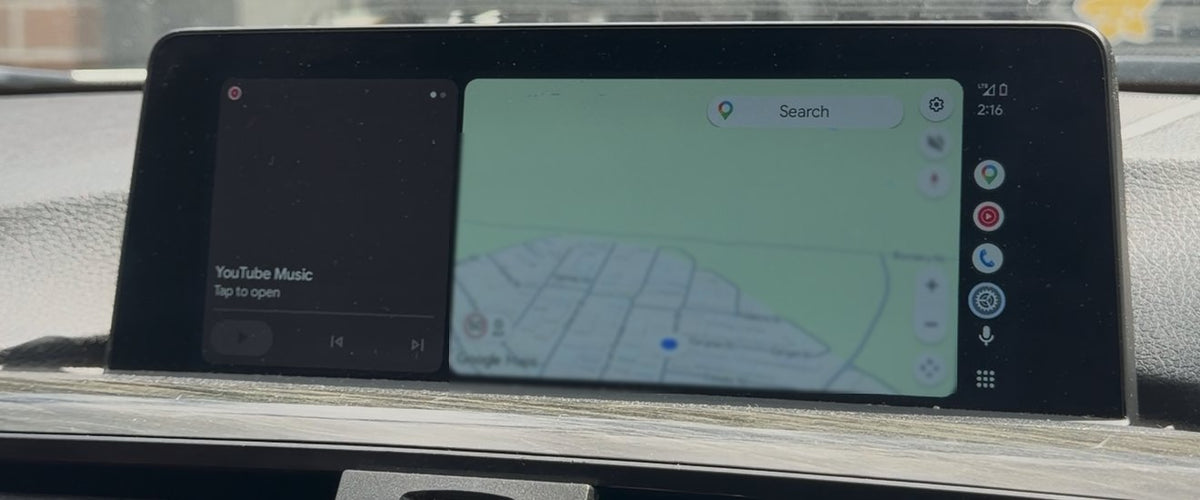
This switches Android Auto on inside the NBT EVO itself. Nothing is added to the car. Your phone pairs with the BMW the same way an iPhone does for CarPlay, and Android Auto fills the factory screen.
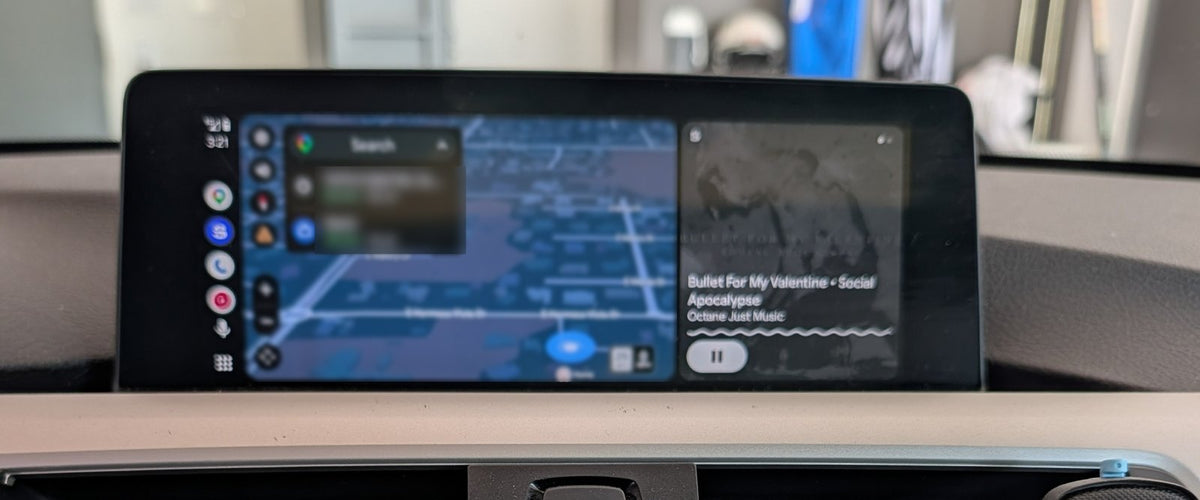
What you get: wireless Android Auto in fullscreen, Google Maps, Waze, Spotify and YouTube Music on the factory display, and your iDrive left as it is. Your steering wheel controls, iDrive controller, microphone and factory audio keep working normally. CarPlay stays too, so both phone types are covered.
What it asks of you: NBT EVO on iDrive 5 or 6, a WiFi antenna on the head unit, a Windows laptop and an ENET cable for the session, and a phone on Android 11 or newer. It's wireless only, with no USB option.
What it won't do: play video apps, mirror your phone, or take an HDMI source. Android Auto is built for driving, and that's all it shows. A dealer software update can also reset it. If that happens, message us and we'll help you get it back.
One G30 M550i owner on Bimmerpost had a native activation done remotely in about 10 minutes and described the result as about as OEM as it gets, with the phone connecting quickly after start up. He did have to forget and redo the Bluetooth pairing a few times before auto connect settled down. That's typical, and it's covered in our connection guide.
Cost with us: $299 AUD on iDrive 5 or 6, or $449 AUD on iDrive 4 including the iDrive 6 upgrade.
2. An MMI box
An MMI box is a small computer fitted behind the dash. It sits on the video cable between head unit and screen, runs Android Auto and CarPlay itself, and switches your screen between iDrive and its own interface. We don't sell them, so take this as a straight description.
Where a box wins: it does more than Android Auto. A 2019 M2 Competition owner on Bimmerpost listed what he'd miss by going native: YouTube, full screen mirroring, unofficial apps and plugging in a streaming stick. If you want video on the screen while parked, a box does that and native Android Auto never will.
Where it costs you:
- Fitting means removing trim and working behind the head unit.
- It's a second system with its own Bluetooth and WiFi, so your phone has two things to pair with. The same M2 owner reported Bluetooth starting music by itself and a fault with call audio.
- Sound often goes through AUX or Bluetooth, which may not match the factory path.
- You switch inputs to move between the box and iDrive.
- Quality and support vary a lot between sellers. Common faults are covered in our no signal, no sound and call echo guides.
On NBT EVO a box is now the hardware answer to a problem software can solve. It still makes sense if the extras matter to you more than a clean install.
3. A CarPlay to Android Auto dongle or app
These use a trick. Your BMW already speaks CarPlay, so a dongle or phone app pretends to be an iPhone and sends Android Auto down the CarPlay link. It needs CarPlay to be active on the car.
It's cheap and it gets a picture on the screen. Owners report two recurring problems:
- The iDrive controller. An F80 M3 owner running one of these dongles said CarPlay worked through it, and scrolling Android Auto with the iDrive wheel didn't work properly. On a car with no touchscreen, that's most of the interface gone.
- Phone calls. The developer of one app version was upfront that calls don't go through the car. They use the phone's own speaker and microphone, and the same phone can't be paired for Bluetooth calls at the same time, because the car treats the link as CarPlay.
Fine as a stopgap. Not something we'd want to use every day.
4. A wireless Android Auto adapter
The small USB dongles sold as wireless Android Auto adapters do one job: they take a car that already has wired Android Auto and remove the cable. An NBT EVO BMW has no Android Auto for them to connect to, so they do nothing. This is the most common wasted purchase we hear about. More in do wireless Android Auto adapters work on a BMW.
5. A replacement Android screen
This swaps your factory display for an aftermarket touchscreen running Android, with Android Auto and CarPlay built in. You get a bigger touch display. You also change the look of the dash and add a second system on top of iDrive, and the experience depends heavily on the unit. Read the problems owners report before buying one for a car that already has NBT EVO.
On older BMWs with CCC, CIC or original NBT, a CarPlay head unit is often the right answer, because those cars can't be activated. On NBT EVO you already have the hardware.
6. Screen mirroring
Mirroring copies your phone's screen onto the iDrive display. It isn't Android Auto: there are no large driving icons, and it isn't built for use on the move. Android screen mirroring comes included with our CarPlay activation ($99.99 AUD), which is how some owners end up with it. If that's what you have and you expected Android Auto, here's the difference.
Which one to pick
| You want | Go with |
|---|---|
| Android Auto that feels factory, nothing fitted | Native activation |
| Video apps, mirroring or an HDMI source on the screen | An MMI box |
| The cheapest thing that shows Google Maps today | A CarPlay to Android Auto dongle, knowing its limits |
| A bigger touchscreen above everything else | A replacement screen |
| Both an iPhone and an Android phone in the house | Native activation. CarPlay stays alongside it |
| Original NBT, not NBT EVO | See Android Auto on NBT and CIC |
FAQ
Is native Android Auto the same as what iDrive 7 cars have?
It's the same Android Auto from Google, wireless and fullscreen, running on the head unit. The difference is that BMW shipped it on iDrive 7 and never did on NBT EVO, so on your car it's activated afterwards.
I already have an MMI box. Can I still go native?
Usually, but tell us first. We need to know what's fitted and how it's wired before connecting to the car.
Does native activation remove CarPlay?
No. Both work after activation.
Can it be undone?
Ask us before booking if that matters to you, for example on a leased car. Also read returning a leased BMW with coding.
What happens after a dealer software update?
A dealer update can reset it. Message us and we'll help you get it back. See what dealer updates do.
Not sure which applies to your car?
Send your VIN and a photo of your version screen through our contact page, and we'll tell you what your BMW can run. For the other iDrive generations, see the main Android Auto guide.


Leave a comment
This site is protected by hCaptcha and the hCaptcha Privacy Policy and Terms of Service apply.