
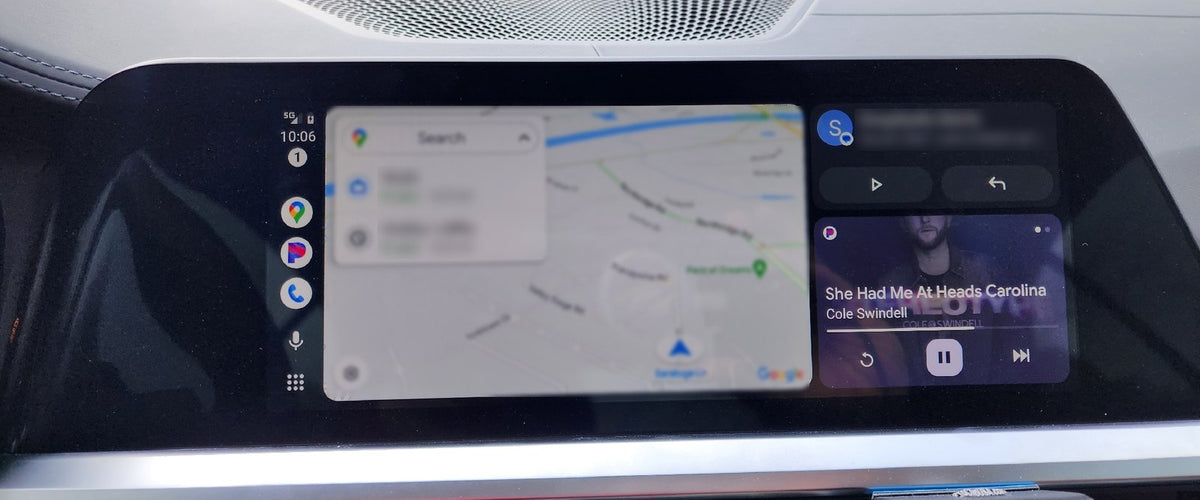

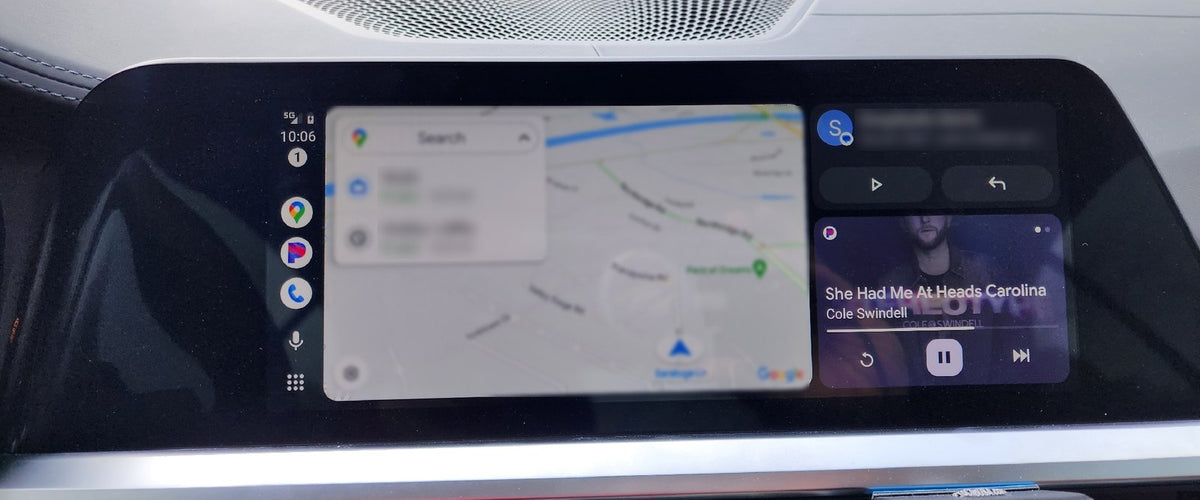
Android Auto Split Screen on a BMW: How to Get It
BMW's wide screens suit Android Auto's split layout well, with the map on one side and your music on the other. Some owners get it straight away. Others, on the same car and the same app version, don't.
What the split layout is
Google redesigned Android Auto so it can show navigation, media and messages together rather than one app at a time. You'll see it called Coolwalk on the forums, which was Google's name for the redesign.
Who controls it
Mostly Google. G20 owners on Bimmerpost tested this thoroughly when it rolled out:
- Some installed a newer version of the app by hand. A few got the layout, and others on the very same version didn't.
- Others did nothing and it arrived overnight on the normal Play Store version.
- Their conclusion was that Google switches it on from its own servers, account by account, and you can't force it from the phone.
Your BMW's part is simpler. The head unit tells the phone how big and wide the screen is, and Android Auto picks a layout to suit.
What to try
- Update Android Auto, Google Maps and your music app from the Play Store.
- Open Android Auto's settings on your phone and look for the taskbar and layout options. One owner got a split view with Google Maps by turning on taskbar widgets.
- Look for an option to change which side the map sits on, so it's nearer the driver.
- Restart the phone, and restart the iDrive.
We'd skip installing app versions from outside the Play Store. Owners who tried it got mixed results, and it carries its own risks.
Running native Android Auto on NBT EVO rather than iDrive 7? It's fullscreen on the factory display. Here's how that activation works.


Leave a comment
This site is protected by hCaptcha and the hCaptcha Privacy Policy and Terms of Service apply.