


Android Auto on iDrive 5 and 6: How Activation Works
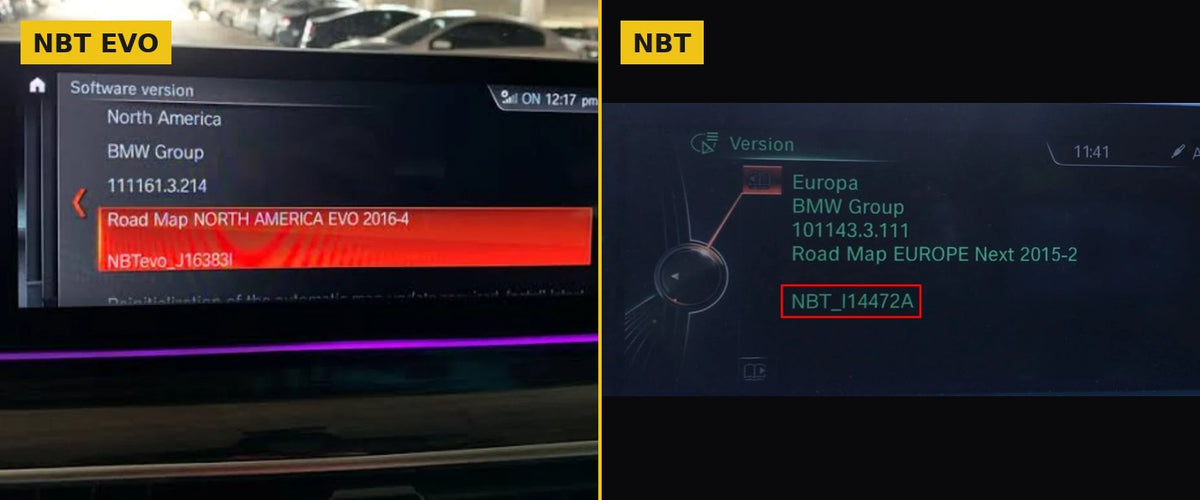
BMW never offered Android Auto on iDrive 5 or 6. Until recently, getting it on these cars meant fitting extra hardware. Now it can be activated natively on NBT EVO, with no box and no screen swap.
What you get
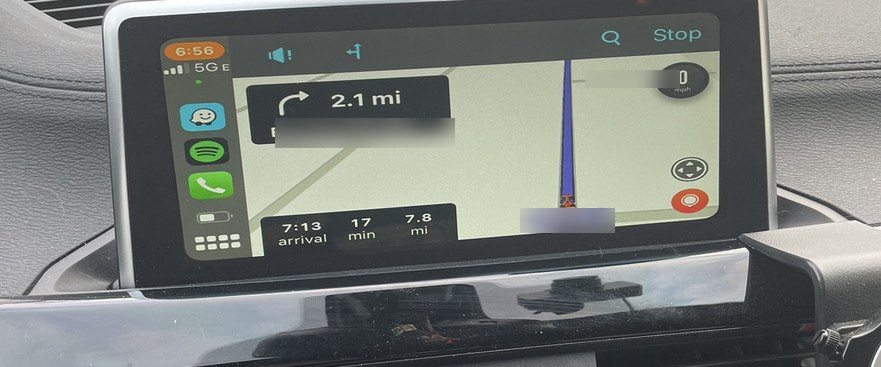
- Wireless Android Auto in fullscreen on your original iDrive screen
- Google Maps and Waze on the factory display
- Spotify, YouTube Music and other Android Auto apps
- Your factory iDrive and existing features kept
What you need
- NBT EVO on iDrive 5 or 6, or iDrive 4 with the upgrade option
- An ENET cable and a Windows laptop (Mac isn't supported)
- A stable internet connection and a USB flash drive
- SSH access to your head unit
- A phone on Android 11 or newer
- A WiFi antenna plugged into the head unit. Most iDrive 5 and 6 cars with factory CarPlay already have one
Not sure about SSH access or the antenna? Send your VIN first and we'll check.
How the session runs
- After purchase, you book a time. We're on AEST, but flexible.
- You plug your laptop into the car with the ENET cable and connect to the internet.
- You put your USB drive in the car's USB port.
- Our technician connects remotely and activates Android Auto.
Activation takes around 10 minutes once we're connected. You don't need any coding knowledge.
Which cars are covered
F20, F21, F22, F23, F30, F31, F34, F32, F33, F36, G30, G31, F06, F12, F13, G11, G12, F15, F16, F25, F26, G01, G02, i3, i8, F80, F82, F83 and F87, plus some MINI F54, F55, F56 and F60 with NBT EVO and the 8.8 inch screen. The head unit and software decide it, not just the model or year.
FAQ
Is it permanent?
Yes, and support is included. If a BMW dealer software update wipes your coding, we redo it for free.
What if my car doesn't turn out to be compatible?
Send your VIN, model and year, and a photo of your iDrive home screen before you buy. If we confirm your car and it turns out not to be compatible, you get a full refund.

Leave a comment
This site is protected by hCaptcha and the hCaptcha Privacy Policy and Terms of Service apply.