

BMW 4 Series iDrive 6 Upgrade: F32, F33 and F36 iDrive 4 to 6
The first generation 4 Series changed head unit halfway through its life. A 2014 435i and a 2017 440i look related inside, and they run different hardware. In between sits a group of cars that can get iDrive 6 and CarPlay with nothing but software. This covers the F32 coupe, F33 convertible and F36 Gran Coupe.
Can a 4 Series get iDrive 6?
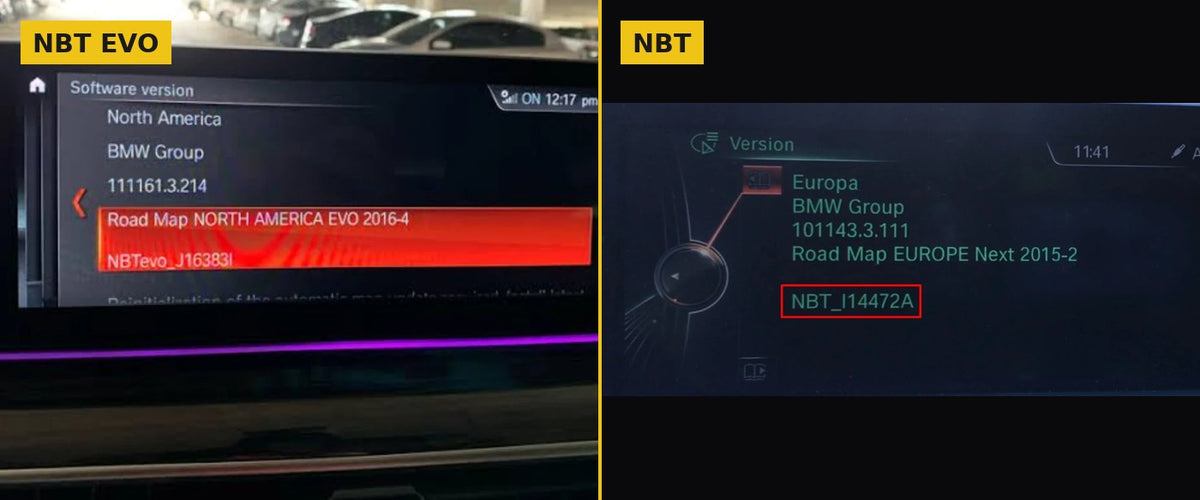
Yes, if it has NBT EVO running iDrive 4. All three body styles are on the listing for our upgrade. The head unit is the computer behind the screen, and the version screen tells you which one you have, as shown in the photo above.
F32, F33 and F36 by build date
| Built (Professional Navigation) | Head unit | Route to iDrive 6 | From (AUD) |
|---|---|---|---|
| 2013 to Jul 2015 | Original NBT | OEM NBT EVO swap | $1,299 |
| Jul 2015 to Jun 2016 | NBT EVO on iDrive 4 | iDrive 4 to iDrive 6 upgrade | $280 |
| Jul 2016 onwards | NBT EVO on iDrive 5 or 6 | Coding only, or already there | $59.99 |
Dates are a guide only and vary by model, country and build. They're for cars with Professional Navigation. Some later cars use EntryNav2, which is a different system, so check with us on those.
Go to Navigation → Options → Settings → Position & Version History → Version. A code starting NBTEvo_A, C, D, E or F means NBT EVO on iDrive 4.
The early 2016 edge case
If your 4 Series was built in the first half of 2016, don't assume either way. On Bimmerpost, an owner who'd just bought a 2016 F36 430d, built in March 2016, couldn't tell from the build date whether it would be iDrive 4 or 5, because the changeover was only weeks away. Cars either side of it look the same in the adverts.
It matters because the two need different things. iDrive 4 needs the $280 upgrade. iDrive 5 needs $59.99 of coding for the newer look, and may already support CarPlay. Thirty seconds on the version screen settles it. If you're buying one, ask the seller for a photo of that screen first. More in checking a used BMW for CarPlay.
Flash, box or head unit swap?
4 Series owners on the forums usually weigh the same three options. Here's how they compare for a car on NBT EVO with iDrive 4.
| iDrive 4 to 6 upgrade | MMI box | Later NBT EVO head unit | |
|---|---|---|---|
| What changes | Software only | Box fitted behind the dash | Head unit replaced |
| Interface | Genuine iDrive 6 | Stays on iDrive 4, plus the box's own screen | Genuine iDrive 6 |
| CarPlay | Native, fullscreen | Through the box | Native, fullscreen |
| Fitting | Remote session, about an hour | Trim off | Trim off, plus coding |
| Main concern | Early hardware on long drives | Second system, seller support | Cost |
| Our price (AUD) | $280 | We don't sell them | $1,299 |
Most owners try the upgrade first, because it's the cheapest and nothing gets pulled apart. The concern in the first column is covered properly in iDrive 4 to 6 problems.
What you need
- A Windows laptop with at least 30GB free. A Mac only works if it runs Windows
- An ENET cable
- A battery charger connected for the whole session
- A WiFi antenna on the head unit. Many iDrive 4 cars don't have one, and it isn't included
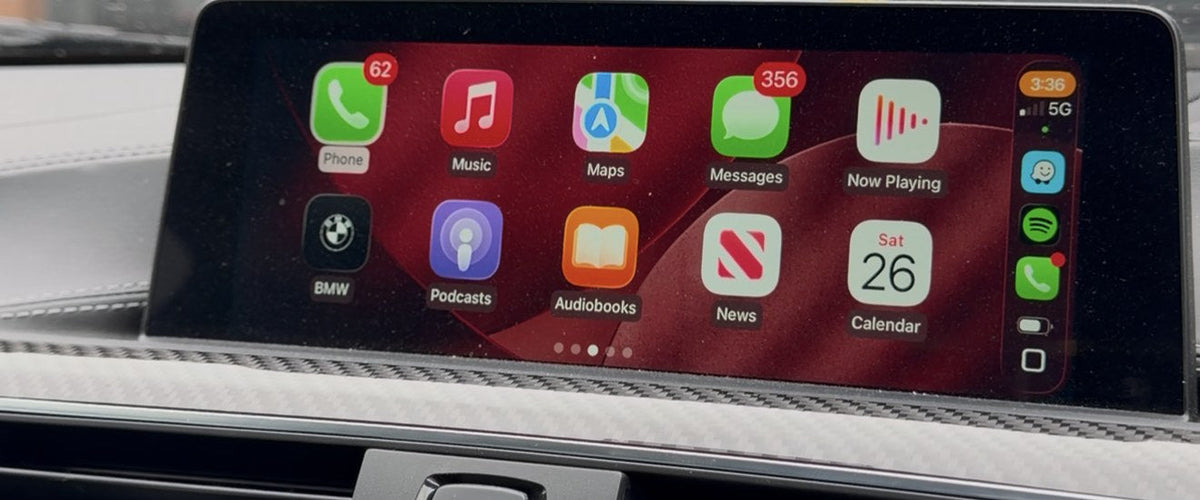
You finish with the iDrive 6 interface, fullscreen wireless CarPlay, Android screen mirroring, Video in Motion and a coding pack. See what changes and what you keep.
FAQ
Is the F36 Gran Coupe covered?
Yes. The F32, F33 and F36 are all on the listing.
What about the M4?
The F82 and F83 M4 are covered too, with their own guide: M4 iDrive 6 upgrade.
Does this cover the newer G22 4 Series?
No. The G22 runs iDrive 7 or newer. See our G22 guide.
Can I add Android Auto?
Yes. The iDrive 4 option covers the upgrade, CarPlay and Android Auto for $449 AUD.
Check your 4 Series first
Send your VIN and a photo of your version screen through our contact page. The 3 Series version of this guide is here, and the full process is in how the upgrade works.

Leave a comment
This site is protected by hCaptcha and the hCaptcha Privacy Policy and Terms of Service apply.