

iDrive 4 to 6 Upgrade: What Changes and What You Keep
Before paying for an upgrade you can't see until it's done, you want to know what the car will be like afterwards. This covers what's different, what isn't, and the things people expect that the upgrade doesn't do.
Before and after
| Before: iDrive 4 | After: iDrive 6 | |
|---|---|---|
| Home screen | Older list style menu | Large live tiles |
| Apple CarPlay | None | Wireless, fullscreen |
| Android screen mirroring | No | Yes |
| Video in Motion | No | Yes, for passengers |
| Android Auto | None | Can be added |
| Screen and iDrive controller | Factory | Same parts, unchanged |
| Steering wheel controls, microphone, audio | Factory | Unchanged |
| Head unit | NBT EVO | The same NBT EVO, new software |
How the screen changes

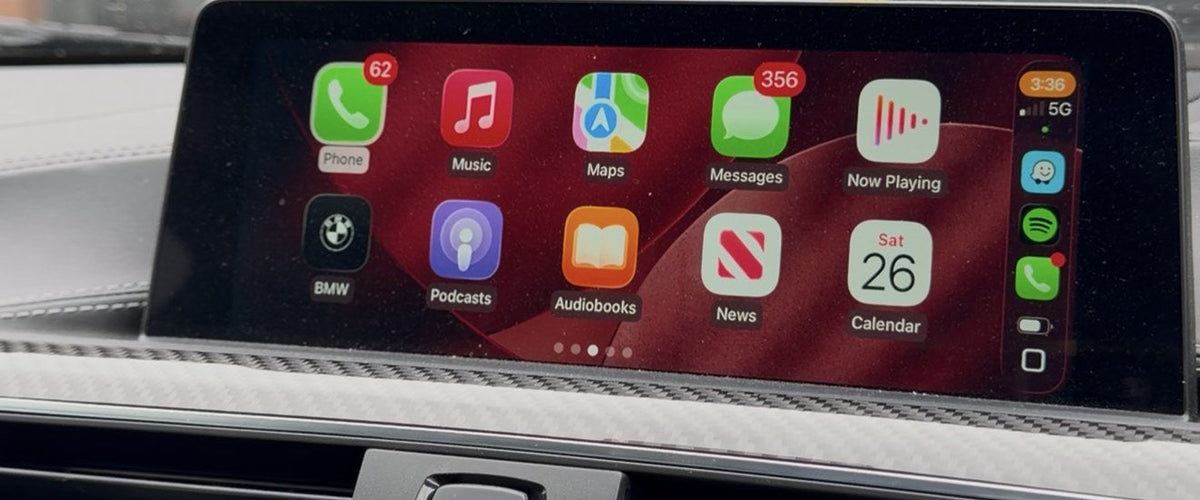
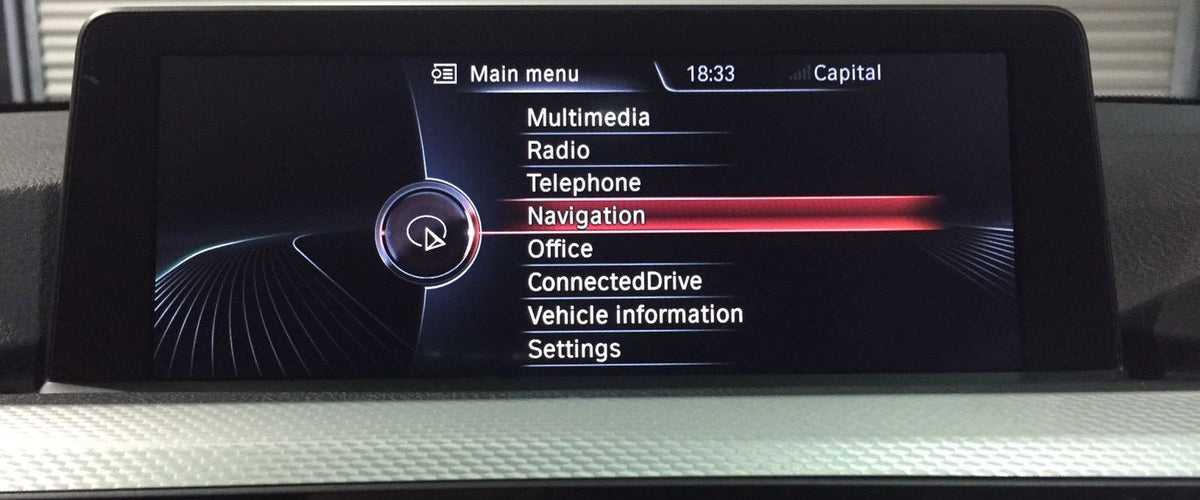
iDrive 4 opens to a list of menu items down the side of the screen. iDrive 6 opens to large tiles you scroll through, three at a time, each showing live information such as what's playing or where you're heading. It's the same interface BMW shipped on later F Series cars.
Everything you used before is still there. It's laid out differently, so give it a day. Our iDrive 4 vs 5 vs 6 guide compares the versions side by side.
What you gain
- Fullscreen Apple CarPlay. Wireless, on the factory screen, using the whole display. Apple Maps, Google Maps, Waze, Spotify, calls and messages.
- The iDrive 6 interface. Live tiles and a more modern layout.
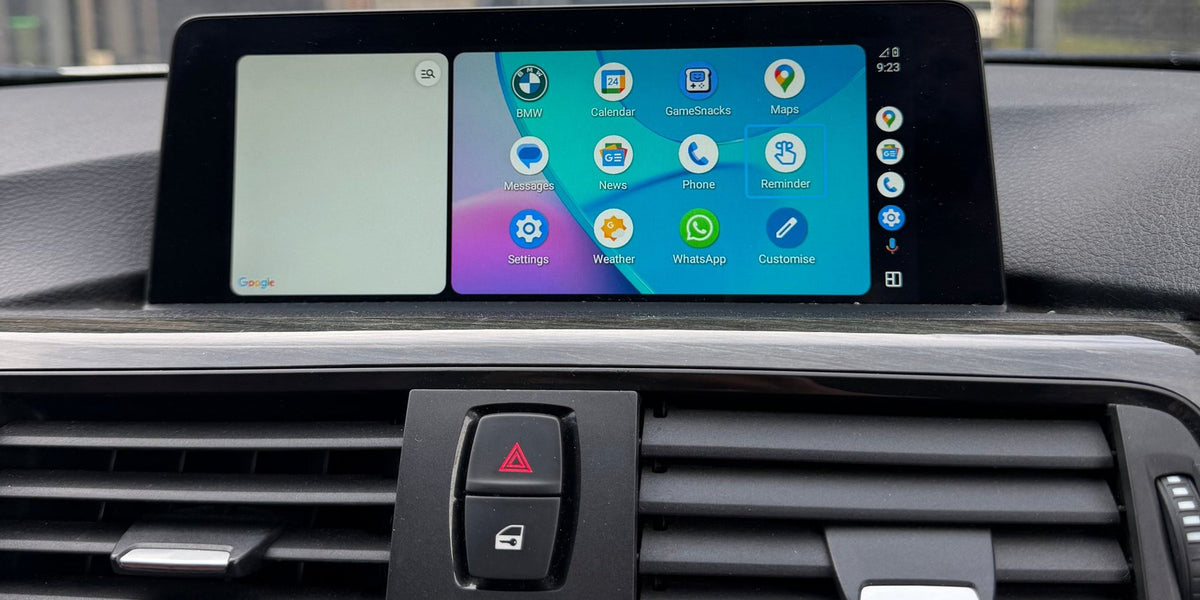
- Android screen mirroring. Shows your Android phone's screen on the display. It isn't Android Auto. Here's the difference.
- Video in Motion. Lets video keep playing on the move for passengers, where legal. See how it works.
- A coding pack. You choose your favourites during the session.
- The option of Android Auto. Once you're on iDrive 6 it can be activated natively.
What stays the same
The upgrade is BMW's own iDrive 6 software on your factory head unit. Nothing is removed from the car and nothing is fitted, apart from a WiFi antenna if yours doesn't have one.
- Your screen, with the same size and resolution
- Your iDrive controller and its buttons
- Steering wheel controls
- The factory microphone and speakers, including upgraded audio
- Radio, Bluetooth and USB media
- Factory navigation
What it won't add
These are the expectations that most often lead to disappointment, so better to hear them now.
| You might expect | What happens |
|---|---|
| A touchscreen | No. The screen is the same part. If it wasn't touch before, it isn't after |
| CarPlay over a USB cable | No. BMW CarPlay is wireless only, so the head unit needs a WiFi antenna |
| CarPlay directions in the head up display | Don't count on it. Owners report they don't show there on NBT EVO |
| Android Auto included | Not in the $280 upgrade. It's in the $449 option |
| iDrive 7 | No. iDrive 6 is the newest version NBT EVO runs. iDrive 7 is different hardware |
| New maps | The upgrade is about the interface and CarPlay. A map update is separate |
Maps, navigation and ConnectedDrive
All map regions are supported, so it doesn't matter whether your car is Australian, European, US or another market. Tell us your region and what map version the car shows when you send your VIN, and ask then about anything you rely on, such as ConnectedDrive services or the head up display. We'd sooner answer for your exact car than give a blanket promise.
One reason owners pick the flash over a head unit swap is that the car keeps its own head unit. A 2 Series owner on Bimmerpost chose it for that reason, to keep his ConnectedDrive setup as it was.
If your car is an import still on another region's maps, that's a region change, which is a different job.
The first drive afterwards
- Pair your iPhone. Add it as a new device and choose Apple CarPlay. Turn Bluetooth and WiFi on first.
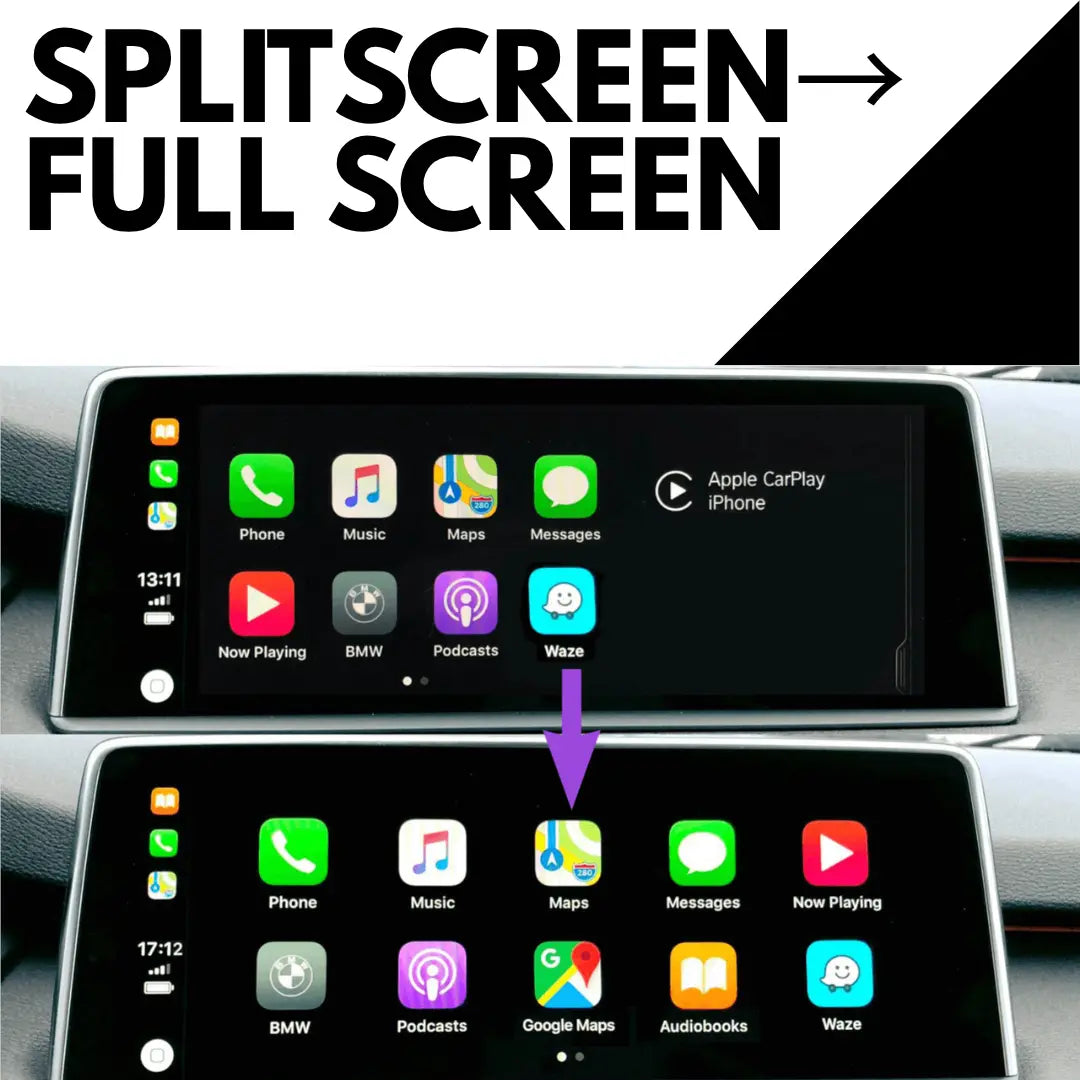
- Check fullscreen. If CarPlay shares the screen with a BMW panel, press Option and turn off split screen.
- Arrange your tiles. Put the ones you use most first.
- Test the basics. A call, music, and the reverse camera.
- Tell us if anything's off. If something freezes or drops out in the first week, message us. Our guide to iDrive 4 to 6 problems covers what owners report.
FAQ
Is iDrive 6 faster than iDrive 4?
The menus are quicker to get around. The hardware is the same, so don't expect a different machine.
Will my saved settings and paired phones stay?
Plan on setting them up again. Pair your phone fresh after the session, and note any presets you care about beforehand.
Does the upgrade change anything outside the head unit?
No. It's the infotainment software. The engine, gearbox and other systems aren't part of it.
Is it permanent?
Yes. It's a one off. A dealer software update can reset it, and if that happens we'll sort it.
Which cars is it for?
NBT EVO on iDrive 4, with a code from NBTEvo_A to F, listed for the F20, F21, F22, F23, F30, F31, F32, F33, F36, F80, F82, F83 and F87. Not sure? Start with does iDrive 4 have CarPlay.

Leave a comment
This site is protected by hCaptcha and the hCaptcha Privacy Policy and Terms of Service apply.