
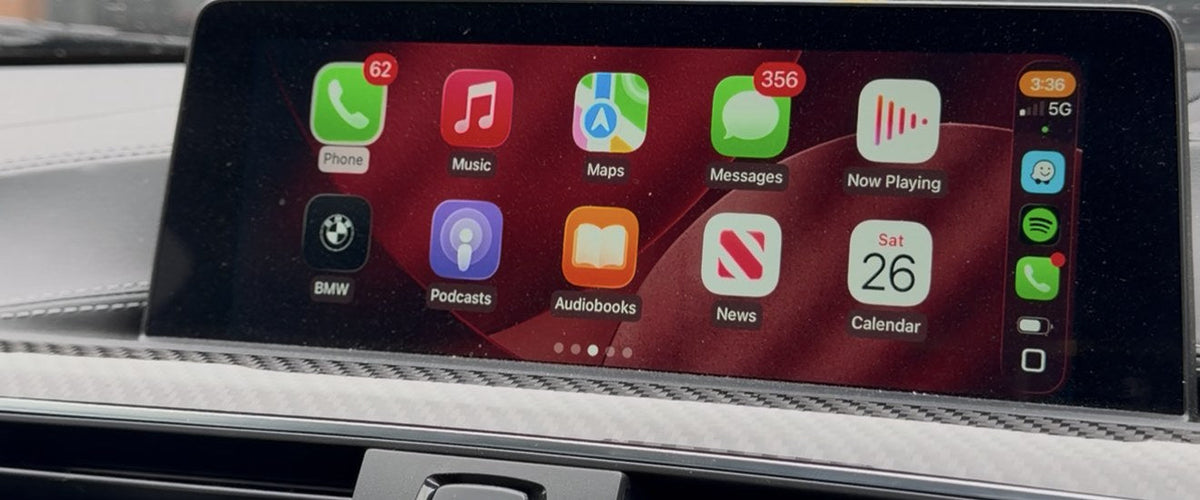

BMW M4 iDrive 6 Upgrade: F82 and F83 iDrive 4 to 6
An M4 from 2015 or 2016 can look current from the outside and a generation behind on the screen. Some of those cars have the newer head unit already fitted, with old software on it. For them, iDrive 6 and fullscreen CarPlay are a software upgrade. This covers the F82 coupe and F83 convertible.
Can an F82 or F83 M4 get iDrive 6?
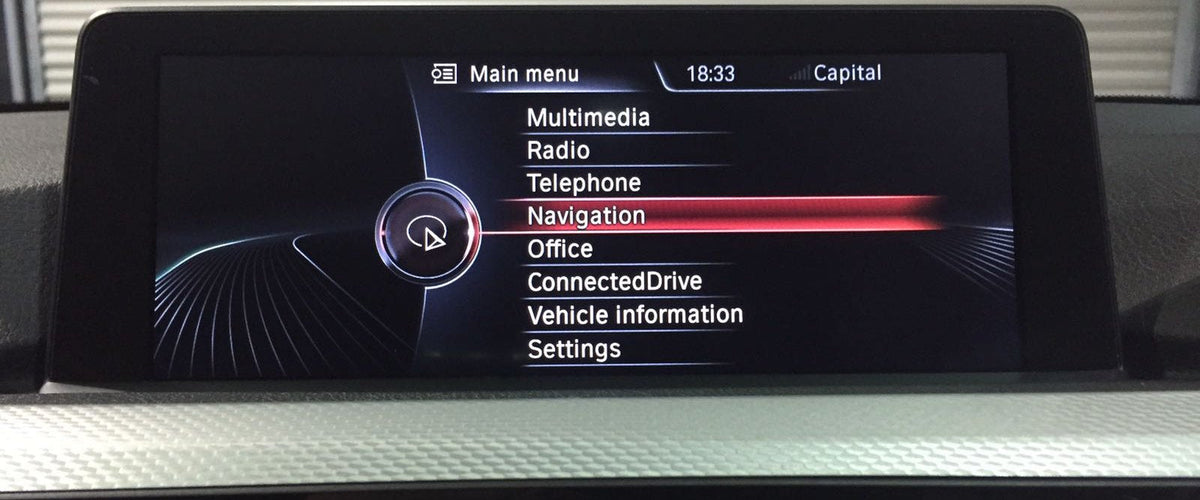
Yes, if it has NBT EVO running iDrive 4. Both body styles are on the listing for our upgrade. Check at Navigation → Options → Settings → Position & Version History → Version. A code starting NBTEvo_A, C, D, E or F is the one you're looking for.
M4 by build date
| Built | Head unit | Route to iDrive 6 | From (AUD) |
|---|---|---|---|
| 2014 to Jul 2015 | Original NBT | OEM NBT EVO swap | $1,299 |
| Jul 2015 to Jun 2016 | NBT EVO on iDrive 4 | iDrive 4 to iDrive 6 upgrade | $280 |
| Jul 2016 onwards | NBT EVO on iDrive 5 or 6 | Coding only, or already there | $59.99 |
These dates are a guide based on the F80 M3, which shares the M4's systems. F82 and F83 cars can differ, and it varies by country and build. Confirm with your version screen.
What you get, and what you don't
| You get | You don't get |
|---|---|
| iDrive 6 with live tiles | A touchscreen. The screen is the same part |
| Fullscreen wireless Apple CarPlay | CarPlay over a USB cable |
| Android screen mirroring and Video in Motion | Android Auto, unless you take the $449 option |
| A coding pack of your choice | Any change to the factory screen, controller or audio |
The full before and after is in what changes and what you keep.
The head up display question
Many M4s have a head up display, and owners reasonably expect phone navigation to show in it after the upgrade. Don't plan on that. A professional who does these flashes told Bimmerpost members that CarPlay doesn't appear on the head up display afterwards. Separately, an F82 M4 CS owner running phone navigation through his NBT EVO reported nothing showing there either.
Your factory navigation and the display itself are a different matter. If head up display guidance is important to you, tell us when you send your VIN and we'll answer for your car. There's more in CarPlay on the cluster and head up display.
Buying a used M4
The screen is an easy thing to check and a useful bargaining point, because sellers rarely know which head unit their car has.
- Ask for a photo of the version screen before you travel to see the car.
- NBT_ means original NBT. Budget for a head unit if you want CarPlay.
- NBTEvo_A to F means iDrive 4. Budget $280 for the upgrade, plus a WiFi antenna if it has none.
- NBTEvo_H onwards means iDrive 5 or 6. CarPlay is either there or a small activation away.
- Ask whether it's been coded or tuned, and by whom. It helps us, and it helps you with any dealer visits.
More on this in buying a used BMW: check CarPlay first.
What you need
- A Windows laptop with at least 30GB free. A Mac only works if it runs Windows
- An ENET cable
- A battery charger connected for the whole session
- A WiFi antenna on the head unit, which isn't included
It's one remote session of about an hour. If you also want GTS gearbox, steering and diff software, the Track & Tech Package ($519.99 AUD) includes the iDrive 6 upgrade and CarPlay in the same session.
FAQ
Is the F83 convertible covered?
Yes. The F82 and F83 are both on the listing.
Does this cover the G82 M4?
No. The G82 is a different generation with a different system.
Will it reboot?
Cars that shipped on iDrive 4 have the early NBT EVO hardware, and owner reports are mixed on very long drives. Read the full record before you book.
What about the M3?
Same systems, separate guide: M3 iDrive 6 upgrade.
Check your M4 first
Send your VIN and a photo of your version screen through our contact page. Everything else for this car is in our F80 M3 and F82 M4 CarPlay guide.

Leave a comment
This site is protected by hCaptcha and the hCaptcha Privacy Policy and Terms of Service apply.