


BMW M2 iDrive 6 Upgrade: F87 iDrive 4 to 6
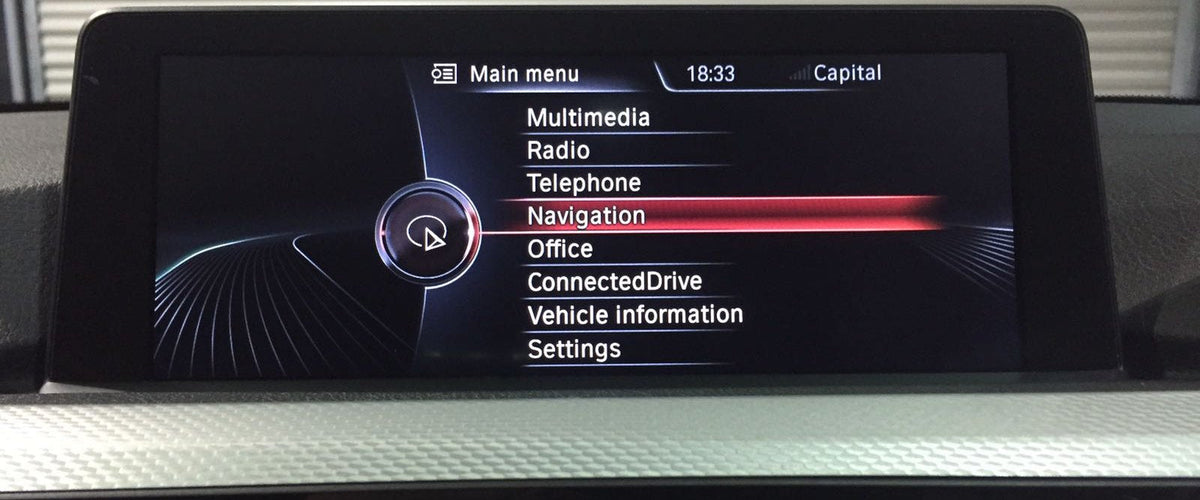
The original F87 M2 is one of the best driver's cars BMW has made, and the early ones have one of its most dated screens. The M2 arrived in 2016, right as BMW was changing its software, so early cars shipped on iDrive 4 with no CarPlay. The fix doesn't touch the interior.
Which M2s need it?
- Early cars shipped with NBT EVO on iDrive 4. These are the ones this upgrade is for.
- Later cars, including the facelift and the M2 Competition, came on iDrive 5 or 6. They don't need a flash. If CarPlay isn't active, it's a $99.99 activation.
The model year alone won't tell you which side of the line your car is on.
Check your M2
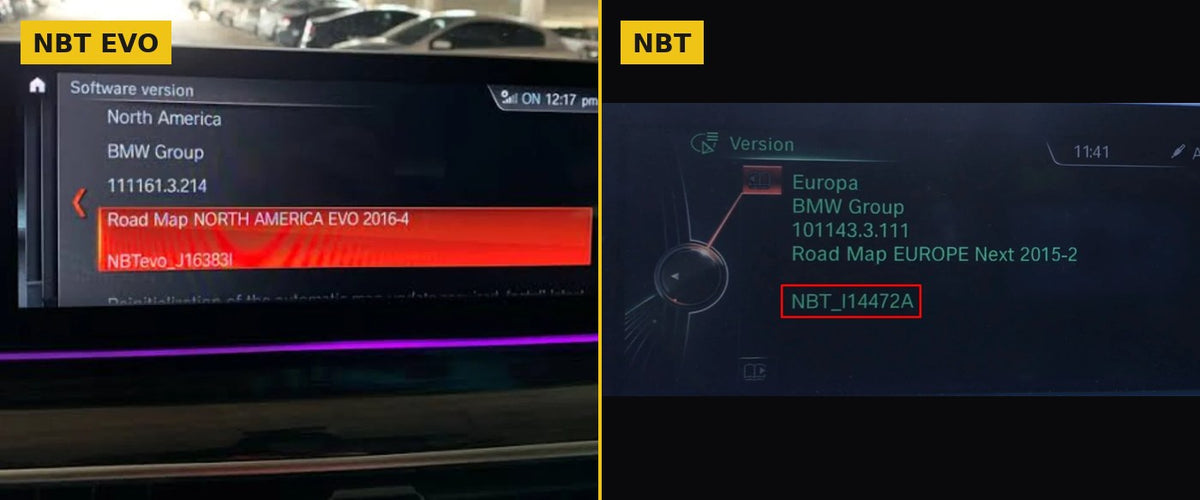
Go to Navigation → Options → Settings → Position & Version History → Version.
| You see | Means | What you need | From (AUD) |
|---|---|---|---|
| NBTEvo_A, C, D, E or F | iDrive 4 | iDrive 6 upgrade + fullscreen CarPlay | $280 |
| NBTEvo_H onwards | iDrive 5 or 6 | CarPlay activation | $99.99 |
| NBT_ | Original NBT | CarPlay head unit or OEM swap | $549 / $1,299 |

What the upgrade gives you
- The iDrive 6 interface with live tiles
- Fullscreen wireless Apple CarPlay
- Android screen mirroring and Video in Motion
- A coding pack, where you choose your favourites
It's one remote session of about an hour, done over an ENET cable with the car in your garage. Here's what changes and what you keep.
CarPlay alone, or with a flash?
M2 owners often want more than a screen update, so it's worth choosing before you book.
| You want | Get | AUD |
|---|---|---|
| iDrive 6 and CarPlay only | iDrive 4 to 6 upgrade | $280 |
| iDrive 6, CarPlay and Android Auto | iDrive 4 option | $449 |
| iDrive 6, CarPlay and GTS gearbox, steering and diff software | Track & Tech Package | $519.99 |
The Track & Tech Package puts the drive side and the screen side in one remote session, with a coding pack included. If you were going to do both anyway, it's less than booking them apart. There's also a Full CS Package for the M2 ($299.99 AUD) for the drive side alone. Background on that in our F87 M2 CS flash guide.
Keeping the cabin stock
A lot of M2 owners won't fit an aftermarket screen, and we understand why. This upgrade is BMW's own iDrive 6 software on the factory head unit. The screen, the iDrive controller, the steering wheel buttons and the audio system stay exactly as they left the factory. Nothing is added to the dash, except a WiFi antenna behind the head unit if your car doesn't have one.
The one thing to read up on is the early hardware. Cars that shipped on iDrive 4 have the first version of NBT EVO, and owners report mixed results on very long drives. We lay the whole record out in iDrive 4 to 6 problems.
What you need
- A Windows laptop with at least 30GB free. A Mac only works if it runs Windows
- An ENET cable
- A battery charger connected for the whole session
- A WiFi antenna on the head unit, which isn't included
FAQ
Does the M2 Competition need this?
No. It came on later software. If CarPlay isn't working, it's an activation, not a flash.
Does this cover the G87 M2?
No. The G87 is a different generation with a different system.
Will it affect my tune or other coding?
The upgrade is to the head unit. Tell us what's been done to the car before the session so we know what we're connecting to.
Can I do it myself?
It's been done, and it isn't a home coding job. Read can you flash iDrive 4 to 6 yourself.
Check your M2 first
Send your VIN and a photo of your version screen through our contact page. Everything else on this car is in our F87 M2 CarPlay guide.

Leave a comment
This site is protected by hCaptcha and the hCaptcha Privacy Policy and Terms of Service apply.