


What Is BMW NBT EVO? iDrive 4, 5 and 6 Explained
You'll see NBT EVO on almost every BMW CarPlay listing, and it's rarely explained. It's the physical computer behind your screen, and it's what decides most of your options.
What it is
NBT EVO is a BMW head unit, the box in the dash that runs your screen and media. It replaced the original NBT and has newer hardware, which is why it can run CarPlay when older NBT cars can't. You'll mostly find it on cars from around 2016 to 2019, with some earlier ones.
NBT EVO vs iDrive
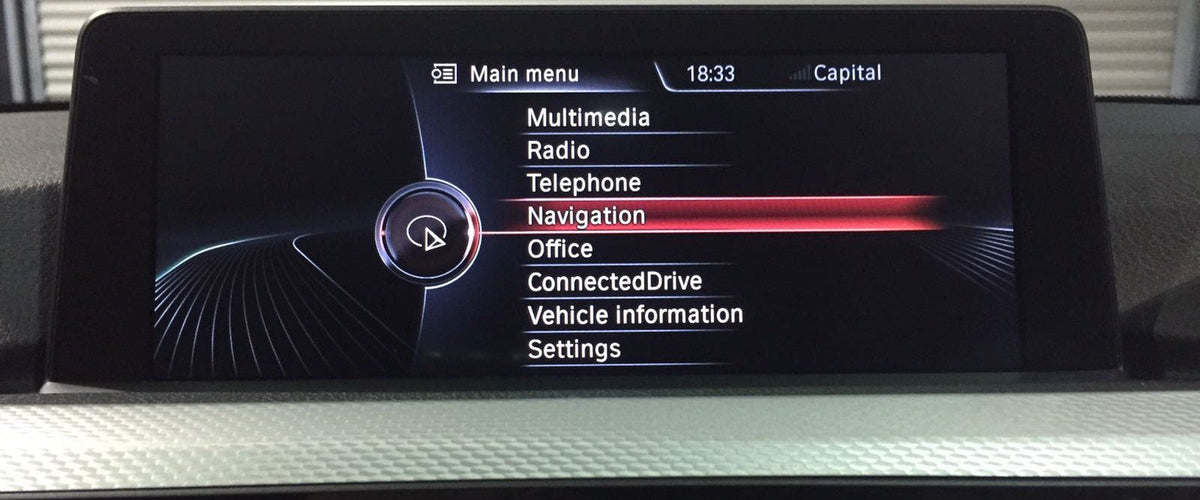
This is where the confusion starts. NBT EVO is the hardware. iDrive 4, 5 and 6 are the software running on it.
| Software | What you'll see | Usually found on |
|---|---|---|
| iDrive 4 | Older style menu | Late 2015 to mid 2016 builds |
| iDrive 5 | Newer style menu, no tiles | Mid 2016 builds onwards |
| iDrive 6 | Home screen with live tiles | Later builds |
How to spot it
Go to Navigation → Options → Settings → Position & Version History → Version. A code starting with NBTEvo_ means you have it. The menu alone can fool you, so go by the code. Here's the full guide.
What it means for you
- iDrive 5 or 6: CarPlay activation from $99.99 AUD, and Android Auto activation at $299 AUD on listed cars.
- iDrive 4: the iDrive 6 upgrade with fullscreen CarPlay, at $280 AUD.


Leave a comment
This site is protected by hCaptcha and the hCaptcha Privacy Policy and Terms of Service apply.