
Home / BMW CarPlay Guides / Navigation greyed out

BMW Navigation Greyed Out: Causes and Fixes
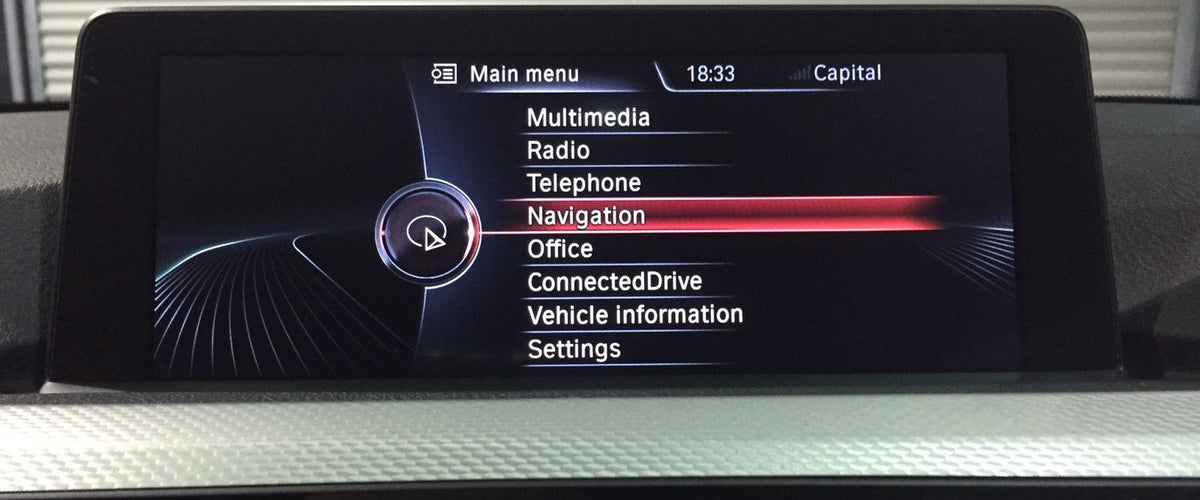
Navigation sits in the menu, greyed out, and the nav button does nothing. It often turns up on a used car right after purchase, which tells you something about the cause.
The usual causes
These come up again and again in owner threads, including a long one on Bimmer Owners Club about a 2016 120i:
- A map update without its code. If a previous owner started an update with no valid activation code, the new map never activates.
- A swapped head unit. A replacement unit still coded to another car's chassis number won't run navigation until it's set up for yours.
- A reused code. A second hand code that's already been used on another car gets rejected.
- Earlier coding. The dealer in that thread suspected someone had tried to add a feature and left the unit in a bad state.
- The car never had it. Some cars show the menu entry without having the navigation option at all.
How to narrow it down
- Check the build sheet. Look for a navigation option, such as 606 for Business or 609 for Professional. Here's the difference.
- Watch it start up. A brief message that the function is unavailable points to activation rather than a dead unit.
- Look for signs of work. Disturbed trim around the console suggests the unit's been out.
- Ask the seller. Find out if a map update or retrofit was attempted.
What it can cost
The owner in that thread paid 125 pounds for diagnostics and was then quoted about 200 pounds for the code. If the cause is a missing or wrong map code, a correct map and code for your VIN is the fix, and it's far cheaper. Our map update ($79.99 AUD) includes the code where your car needs one.
If the head unit's been swapped, it needs more than a map. Send us the VIN and a photo of the screen first.


Leave a comment
This site is protected by hCaptcha and the hCaptcha Privacy Policy and Terms of Service apply.