
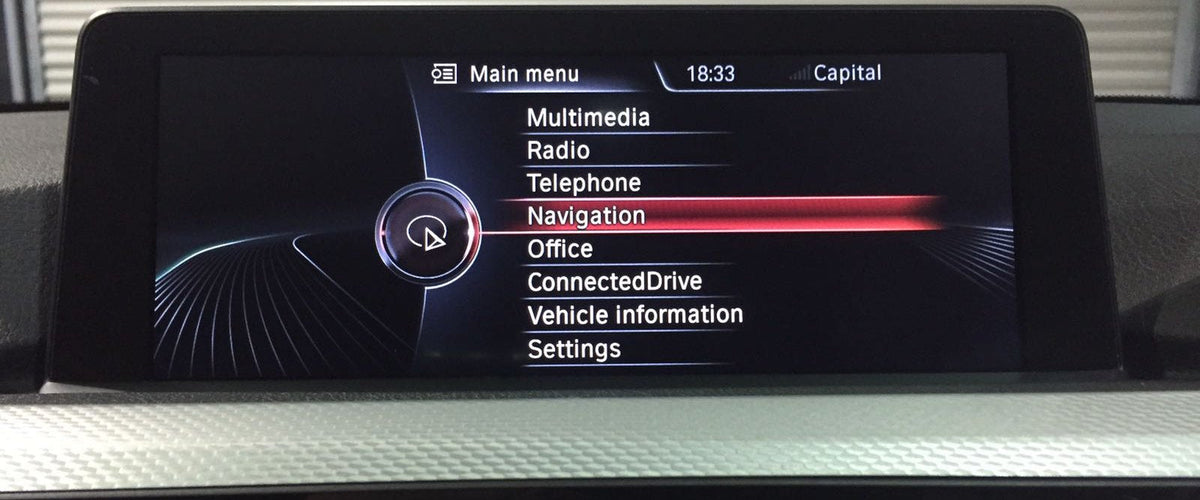

BMW Screen Stuck on the Logo or Rebooting? Read This
The screen shows the BMW logo, goes black and starts again. Radio, Bluetooth and the buttons may go with it. It's a known pattern on F Series cars from around 2014, and the first quote is often far bigger than the fix.
What it looks like
- The logo stays on screen and nothing loads
- The system restarts over and over
- The screen says no signal
- Sound and controls may stop too
What to try first
- Hold the volume knob down for 30 seconds to reset the iDrive.
- Check your 12V battery. Low voltage causes odd electronic faults.
- Take out anything plugged into the USB ports, and any disc in the drive.
Be realistic about these. In the main Bimmerpost thread on this, one owner tried the long reset and a battery disconnect, and neither helped.
What owners found
| Route | What was reported |
|---|---|
| Software update at an independent | Fixed one car for 50 pounds. A member said reboot loops usually need the unit's software reloaded, and that true hardware failure is rare |
| Dealer diagnosis | One owner was quoted $2,770 for a screen plus $390 labour. He disputed that the screen was the fault |
| Used replacement unit | Several went this way, then hit Bluetooth and coding problems |
A stuck logo points at the head unit more often than the screen, since the screen is only a display. Ask what was tested before you agree to replace either one.
What not to do
Don't try a home flash on a unit that won't boot. A seller in the same thread warned it can finish the unit off. If it started straight after a DIY update or a region change, say so, because that changes the diagnosis.
Thinking of a replacement? Read what to check on a used head unit first.


Leave a comment
This site is protected by hCaptcha and the hCaptcha Privacy Policy and Terms of Service apply.